When Work Surfaces and Tasks Don’t Match: Navigating Decision Fatigue
On a typical Wednesday morning, the freelancer sits at a cluttered desk, glancing at a task notebook filled with a long list of projects. The calendar is packed with back-to-back meetings, and the pressure to stay focused feels relentless. Notifications from Slack and email ping sporadically, each one pulling attention away from the tasks at hand. As reminders pop up on the screen, the freelancer realizes that the mental load of decision-making is piling up, making it increasingly difficult to prioritize effectively. With the task list stretching beyond available time, the mismatch between the work surface and the task surface becomes painfully evident.
Amid the chaos, the freelancer attempts to manage this overload by muting notifications, hoping to carve out a focus block. Yet, the constant barrage of decisions—what to tackle first, how to shift gears between projects—creates a friction that disrupts workflow habits. Each time a reminder steals precious minutes, it becomes clear that the traditional approach to task management is faltering. The challenge lies not just in the volume of tasks but in the disconnect between the physical arrangement of the workspace and the mental organization of priorities.
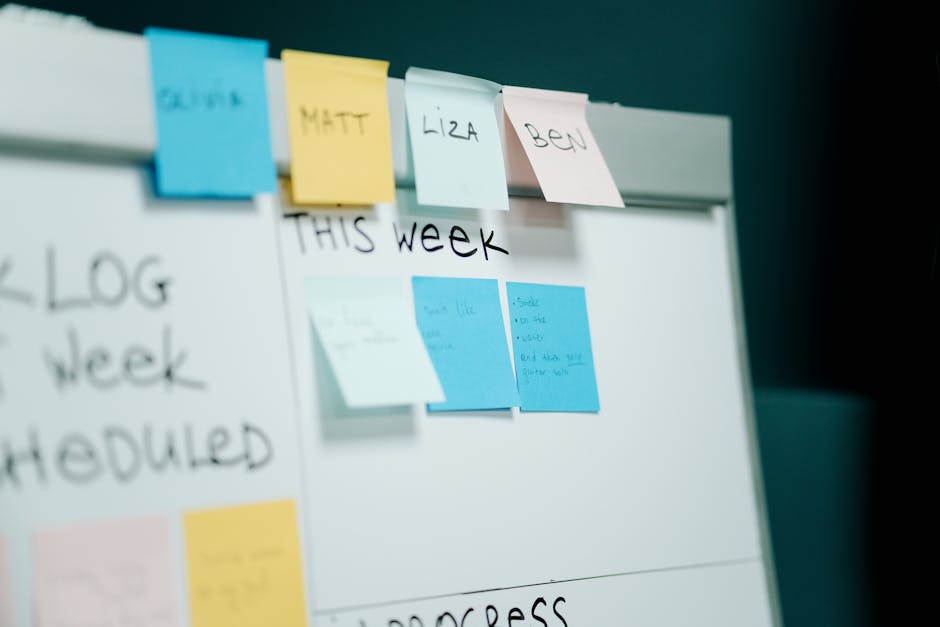
The Default Method: A Juggling Act
At a cluttered desk, the freelancer stares at a single task list on their laptop screen, which is dominated by notifications from Slack and email. Each ping pulls focus, creating a barrage of interruptions that lead to constant task switching. The initial thought is that managing everything from one list is efficient, but as the day unfolds, it becomes clear that this approach is causing decision fatigue. The tasks are not organized by energy levels or deadlines; instead, they sit in a jumbled heap, making it difficult to prioritize effectively.
As the clock ticks past noon, the freelancer tries to tackle the most pressing task, but a reminder popup steals the next ten minutes. This small disruption highlights the mismatch between their work surface—a cluttered desk filled with papers and devices—and their task surface, which is a chaotic digital list. In an attempt to regain control, they mute notifications and focus on desk planning, sketching out a calendar block for the afternoon. However, the tradeoff is evident: while the intention is to create a structured workflow, the lack of alignment between their physical setup and mental organization continues to create friction, leaving them juggling tasks rather than making progress.
Where the Default Method Fails
During a typical weekday, the freelancer's desk is cluttered with notebooks and devices, each vying for attention. The calendar is packed with back-to-back meetings, yet the task list remains long and daunting. Frequent Slack notifications break the flow, pulling focus away from the task at hand. Each ping is a reminder of what’s pending, but instead of clarity, it breeds confusion.
- Notifications from Slack and email disrupt focus, making it hard to prioritize tasks effectively.
- A packed calendar often leads to a mismatch between scheduled meetings and actual task completion.
- Implementing a calendar block for focused work time can help manage the overwhelming influx of tasks.
As the clock approaches 2 PM, the freelancer realizes that the strategy of simply checking off tasks isn’t working. They mute notifications to regain focus and pull out their task notebook to sketch a calendar block for uninterrupted work. However, the reality of a misaligned work surface and task surface persists, leaving them feeling overwhelmed rather than productive.
A Workable Alternative: Calendar Blocking
A slightly different version of this problem appears in Managing Energy Not Time, where the sequence changes but the hidden drag feels familiar.
Calendar blocking can transform the chaotic experience of juggling a lengthy task list. By allocating specific time slots for each task based on energy levels, the freelancer can create a more manageable workflow. For instance, they might designate the early morning hours for creative writing, when their mind is fresh, and reserve the afternoon for administrative tasks that require less cognitive effort. The visible structure of a calendar becomes a roadmap, guiding their focus throughout the day.
During these dedicated focus blocks, the freelancer mutes all notifications on their devices, ensuring that distractions from Slack or email don’t disrupt their concentration. A quick glance at the task notebook reveals a neatly organized list of priorities, each aligned with the time blocks set on their calendar. This simple adjustment reduces the decision fatigue that arises when tasks and energy levels clash. Instead of reacting to incoming notifications, they can engage deeply with the task at hand, knowing that they have set aside time for everything on their list.
As the clock ticks toward the next focus block, they pull up their calendar and double-check the tasks scheduled. This proactive approach contrasts sharply with the earlier method of simply reacting to whatever task seemed most urgent. The shift to calendar blocking not only organizes their day but also aligns their work surface with their task surface, leading to a more productive and less stressful workflow.
The Tradeoff: Structure vs. Flexibility
If this pattern keeps repeating, Focus Without Burnout extends the idea without leaving the niche.
On a typical meeting day, the freelancer sits at their desk, glancing at their task notebook filled with neatly organized tasks. Each task is assigned to a specific time block on their calendar, creating a structured workflow. However, this rigidity can become a double-edged sword. When an urgent email pops up or a spontaneous task arises, the calendar's strictness can feel suffocating, forcing them to either scramble to adjust their schedule or let important tasks slip through the cracks.
Before adopting calendar blocking, the freelancer often relied on a more flexible approach, shifting tasks based on immediate needs. This method allowed for quick adjustments but led to decision fatigue as they constantly reassessed priorities. Notifications from Slack would frequently interrupt their focus, pulling them away from deeper work and wasting precious time. A reminder popup could easily steal the next ten minutes, making it challenging to maintain momentum. In contrast, the calendar blocking method requires a mindset shift; they must accept that not every task will fit neatly into their planned schedule, and some flexibility will be sacrificed.
Despite the tradeoff, the structured approach offers a clear advantage: it reduces the cognitive load associated with decision-making. By pre-planning their day, the freelancer minimizes the friction that arises when the work surface and task surface do not align. They can focus more deeply during their designated blocks, knowing that their tasks are accounted for, even if spontaneity takes a backseat. The challenge lies in finding the right balance between structure and flexibility—an ongoing adjustment in their workflow habits that ultimately supports their daily productivity.
When Calendar Blocking Fits Best
On days filled with back-to-back meetings, the calendar blocking method shines. Imagine a freelancer seated at their desk, glancing at a task notebook that lists a dozen items but only a few hours to tackle them. When the calendar is crammed with appointments, each requiring different levels of focus, decision fatigue can quickly set in. By allocating specific time slots for tasks, they can streamline their workflow, reducing the need for constant task switching. For instance, if they block out 30 minutes after a meeting to respond to emails, they can mentally prepare and focus solely on that task.
However, this approach falters on days when creativity is key. If the freelancer has a project that requires deep thought and spontaneous ideas, strict calendar blocks might feel constricting. The pressure of adhering to a set schedule can stifle their creative flow, making it harder to pivot when inspiration strikes. In these moments, a more flexible approach, where they jot down tasks as they come to mind, might serve them better. They can keep their task list visible, perhaps on a digital screen or a sticky note, allowing for quick adjustments without the stress of a rigid timeline.
Ultimately, the tradeoff lies in recognizing when to embrace structure and when to allow for fluidity. On meeting-heavy days, calendar blocking can be a lifesaver, but on days that require creativity, it may be more beneficial to keep the workflow adaptable.
When the work surface and task surface do not align, the result is often a cascade of interruptions that exacerbate decision fatigue. For instance, on days filled with back-to-back meetings, a freelancer might find that each Slack notification pulls their attention away from the task at hand. This constant switching not only disrupts focus but also extends the time needed to regain momentum after each distraction. A simple adjustment, such as muting notifications during focus blocks, can create a more conducive environment for tackling tasks, allowing for deeper engagement without the constant pull of incoming messages.
To avoid the pitfalls of calendar overload, it’s crucial to maintain a visible task list that reflects realistic time constraints. Keeping this list on your desk or pinned to your screen serves as a constant reminder of what needs to be accomplished, helping to prioritize tasks without the pressure of rigid scheduling. By ensuring that the task list aligns with available energy and time, decision fatigue can be managed more effectively, allowing for a smoother workflow even on the busiest days.


